Stats for Spotify: Music Recap1.3
Publisher Description


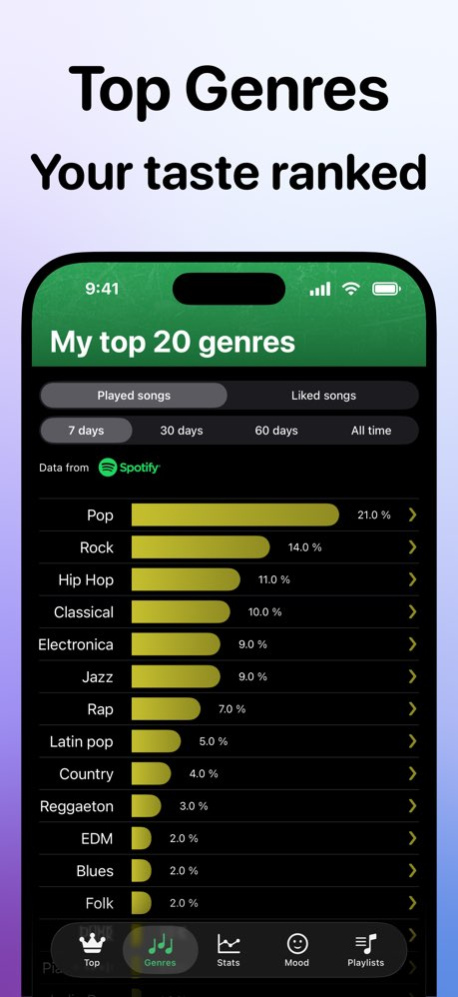
Your Statistics for Spotify Songs, Artists, Playlists and Albums. Minutes Listened and Number of Streams.
***** FEATURES *****
. SPOTIFY STATS: discover all your top songs, artists and albums
. MUSIC TRACKER CHARTS: get insights on your listening trends with dynamic visualizations
. FULL DATA SYNC TO SPOTIFY: enjoy uninterrupted access to your Spotify stats through seamless data sync
. MOOD-BASED SPOTIFY PLAYLISTS: perfectly match your music to your mood
. SPOTIFY MOOD DETECTION: let all your songs in Spotify define your vibe
. SPOTIFY GENRES STATS: dive into your favorite music genres
. TRACK SPOTIFY TOP FOLLOWERS: your most popular playlists on Spotify
Terms of Service: https://dixapp.com/music-tos
Spotify name and logo are trademarks of Spotify AB.
Stats for Spotify: Music Recap is not affiliated with, endorsed, or sponsored by Spotify.
Version History Enhanced Performance – Experience the Upgrade! 1.3 12/19/2025 Minor bug fixes. 1.2 02/07/2024 Minor bug fixes. 1.1 12/27/2023 1.0 09/04/2023
About Stats for Spotify: Music Recap
The company that develops Stats for Spotify: Music Recap is Dixapp srl. The latest version released by its developer is 1.3.
To install Stats for Spotify: Music Recap on your iOS device, just click the green Continue To App button above to start the installation process. The app is listed on our website since 2026-09-05 and was downloaded 13 times. We have already checked if the download link is safe, however for your own protection we recommend that you scan the downloaded app with your antivirus. Your antivirus may detect the Stats for Spotify: Music Recap as malware if the download link is broken.
How to install Stats for Spotify: Music Recap on your iOS device:
- Click on the Continue To App button on our website. This will redirect you to the App Store.
- Once the Stats for Spotify: Music Recap is shown in the iTunes listing of your iOS device, you can start its download and installation. Tap on the GET button to the right of the app to start downloading it.
- If you are not logged-in the iOS appstore app, you'll be prompted for your your Apple ID and/or password.
- After Stats for Spotify: Music Recap is downloaded, you'll see an INSTALL button to the right. Tap on it to start the actual installation of the iOS app.
- Once installation is finished you can tap on the OPEN button to start it. Its icon will also be added to your device home screen.
Program Details
System requirements
Download information
Pricing
Version History
version 1.3
posted on 2026-09-05
Version History Enhanced Performance – Experience the Upgrade! 1.3 12/19/2025 Minor bug fixes. 1.2 02/07/2024 Minor bug fixes. 1.1 12/27/2023 1.0 09/04/2023
version 1.3
posted on 2025-12-19
Enhanced Performance – Experience the Upgrade!
version 1.2
posted on 2024-02-07
Feb 7, 2024
Version 1.2
Minor bug fixes.
